ALERT:Fibi experiencing some functionality issues. ORIS is working to solve the problem.
Saving a Custom Search to a Tab
How do I create a tab with desired search criteria so I can quickly run the same search again?
In the Agreement Module, the user can customize a search with desired criteria and save the search to a tab for repetitive use.
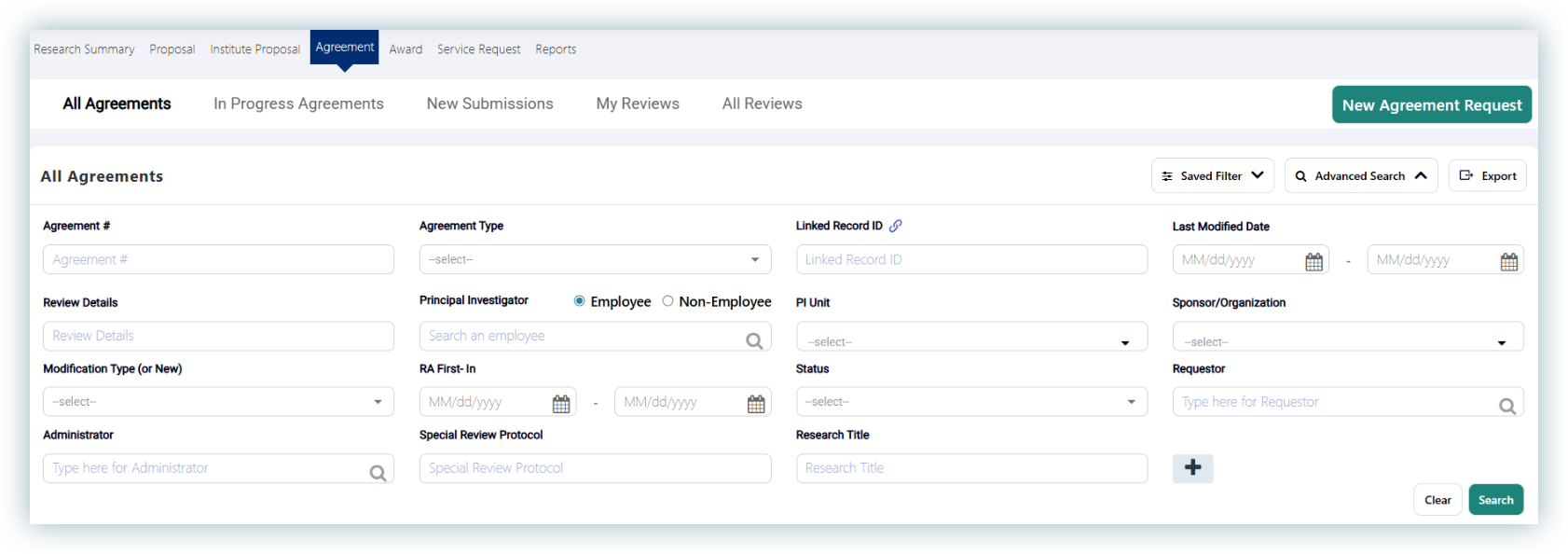
Click on “Agreement” tab, then “All Agreements.”
Click on the “Advanced Search” button.
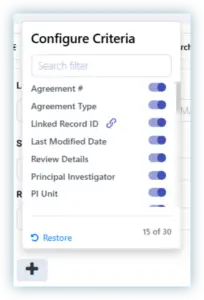
Click on the plus icon for more criteria choices if needed. Scroll through the list and toggle desired criteria to show in the Advanced Search.
Enter criteria for search.
Note: Multiple Units can be added to the PI Unit and Lead Unit fields. If more than one unit is required, then check the boxes next to each in the dropdown menu and re-enter the desired unit if it does not show in the dropdown menu.
Last Revised 02/16/2026
Click on “Search.”
Click on “Save filter” button.
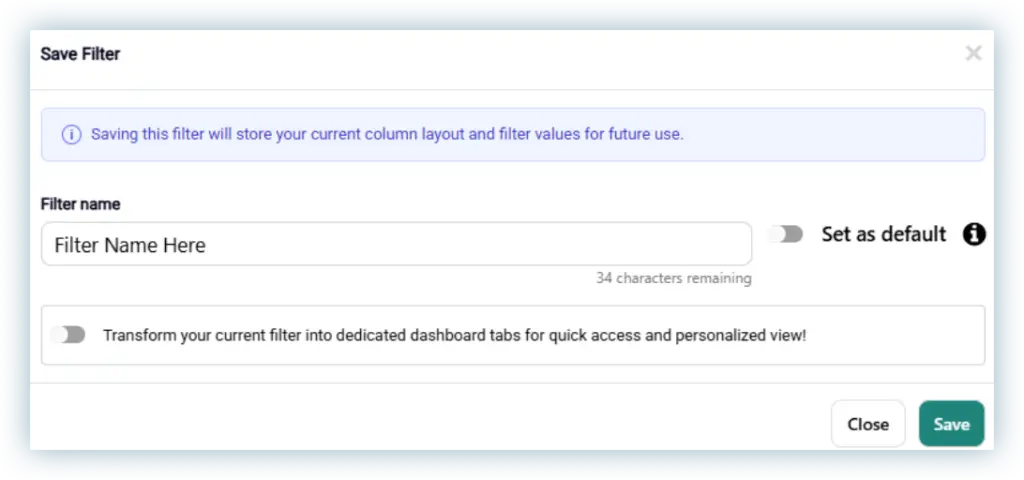
The following box will open:
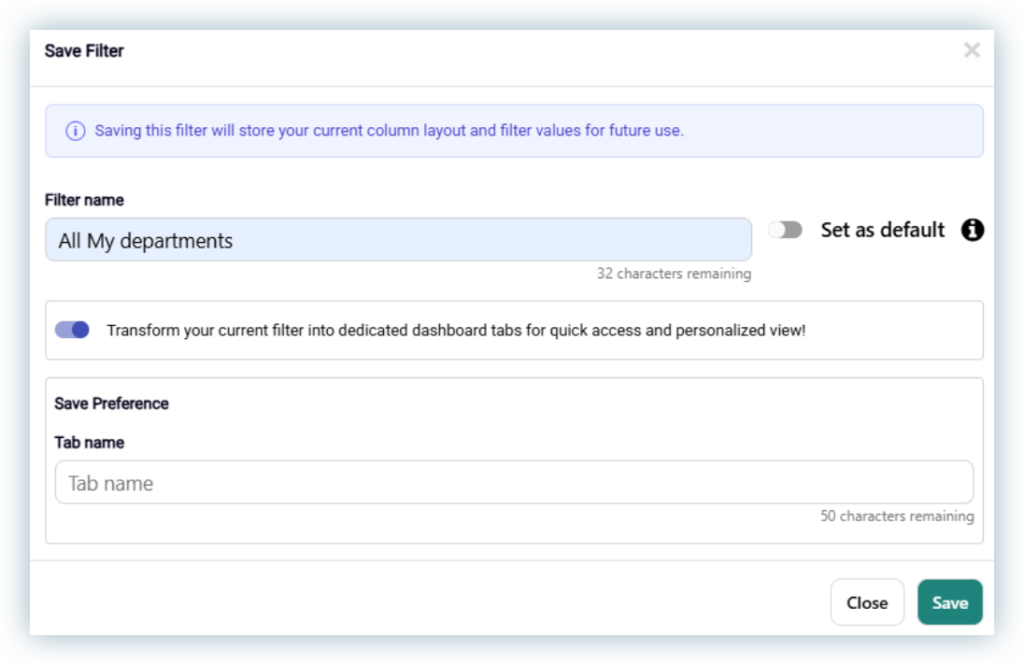
The following box will open:
Enter a Filter Name.
Click on the toggle switch to “Set as default” if desired.
Click on the toggle switch “Transform your current filter into dedicated dashboard tabs for quick access and personalized view!” to create a tab.